Find it Fast:
PRODUCTS FILTER
Featured Products


Showing 1301–1350 of 3516 resultsSorted by latest
-

This Arrays using Boom Cards set will give your students lots of practice with this skill. Students will use the square tiles to create arrays and look at arrays and type in how many squares in the row and in the column. These are self-checking, interactive, and fun.
Digital Download
-

This Arrays using Boom Cards set will give your students lots of practice with this skill. Students will listen to the directions and then complete the problems. They will either need to count the squares in the columns or rows, and then figure out the total number of squares, or tell how many squares are in the columns or rows. These are self-checking, interactive, and fun.
Digital Download
-

This Arrays 2nd Grade BOOM CARDS BUNDLE Module 6 covers tons of different skills. Students will create arrays, use manipulatives to figure out repeated addition, listen to word problems and solve, and much more. These are self-checking, interactive, and fun.
Here’s what’s covered in this bundle:
- Equal parts
- Repeated Addition with pictures
- Repeated Addition using tape diagrams
- Arrays and equal groups
- Word Problems
- Doubles up to 20
- Even and Odd
- Even and Odd using Arrays
Digital Download
-

This Repeated Addition with Pictures Boom Cards set will give your students lots of practice with this skill. Students will look at the pictures, and then create a repeated addition equation to match the pictures. These are self-checking, interactive, and fun.
Digital Download
-

This Repeated Addition using Tape Diagrams Boom Cards set will give your students lots of practice with this skill. Students will look at the equal groups (pictures and numbers) within a tape diagram, and they will need to type out the repeated addition equation and express the number of groups and objects. These are self-checking, interactive, and fun.
Digital Download
-

This Repeated Addition using Boom Cards set will give your students lots of practice with this skill. With this deck, students will work with equal groups and type in the repeated addition equation. These are self-checking, interactive, and fun.
Digital Download
-

This Repeated Addition and Arrays using Boom Cards set will give your students lots of practice with this skill. Students will complete the repeated addition equation describing the array or they will decompose arrays into rows and columns. These are self-checking, interactive, and fun.
Digital Download
-

This Equal Parts using Boom Cards set will give your students lots of practice with this skill. Students will drag the objects into a new box creating a different set of equal parts. These are self-checking, interactive, and fun.
Digital Download
-

This Arrays and Equal Groups using Boom Cards set will give your students lots of practice with this skill. Students will drag the images out to create an array from rows and columns. These are self-checking, interactive, and fun.
Digital Download
-

This Telling Time Valentine Mystery Pictures deck is interactive, engaging, and fun for your students. Students will click on the speaker to hear the time. Then they will find that clock that matches and select it. If they select correct, the image within that box will be shown. As students select correct images, more pictures are shown. These are super cute and great to use during the week of Valentine’s Day.
Digital Download
-

This Valentine Hidden Picture Games deck is interactive, engaging, and fun for your students. These go over place value. Students will count the tens and ones, and then find the answer on the picture. Once they select the correct answer, it will be digitally colored, and move on to the next slide. Once students complete the activity, the entire picture will be colored and shown.
Digital Download
-

This Valentine Skip Counting Digital Task Cards for Google Classroom set will give your first grade students a lot of practice with skip counting by 2s, 5s, and 10s (there’s also some counting by 1s). Students will click on the question mark to type the answer. These no prep math centers can be used as no prep math games review and are paperless and easy to share with students through google classroom.
How it works:
- After you purchase, you will get a link to the slides
- You will need to be logged in to your Google Drive account to save
- Go to file, and click save to drive (If you don’t do this, you will have a read only file)
- Once it’s in your google drive, you can share with your students through Google Classroom
Digital Download
-

This Skip Counting Boom Cards Valentine Themed deck is interactive, engaging, and fun for your students. This Valentine themed Boom Deck covers skip counting by twos, fives, and tens as well as some counting by one cards. This is great practice for your kindergarten or first grade students. Boom cards randomize 20 cards at a time, so students will have many different opportunities to master the skills.
Digital Download
-

This Valentine Counting Coins Digital Task Cards for Google Classroom set covers counting with quarters, dimes, nickels, and pennies up to 100 cents. Students will click on the question mark to type the answer. These no prep math centers are can be used as no prep math games review and are paperless and easy to share with students through google classroom.
How it works:
- After you purchase, you will get a link to the slides
- You will need to be logged in to your Google Drive account to save
- Go to file, and click save to drive (If you don’t do this, you will have a read only file)
- Once it’s in your google drive, you can share with your students through Google Classroom
Digital Download
-

This Valentine Counting Coins Boom Cards deck is interactive, engaging, and fun for your students. Most of the coins are nickels, dimes, and pennies. Boom cards randomize 20 cards at a time, so students will have many different opportunities to master the skills.
Digital Download
-

With this Tens and Ones Digital Task Cards for Google Classroom set, students will be NUMBER DETECTIVES with this Google Slide Resource. Students will look at the tens and ones and then type out the number it represents. Numbers up to 120. This set will help with 1st Grade Module 6 Lesson 8. These no prep math centers can be used as no prep math games review and are paperless and easy to share with students through google classroom.
How it works:
- After you purchase, you will get a link to the slides
- You will need to be logged in to your Google Drive account to save
- Go to file, and click save to drive (If you don’t do this, you will have a read only file)
- Once it’s in your google drive, you can share with your students through Google Classroom
Digital Download
-

With this Tens and Ones Digital Task Cards for Google Classroom set, students will count the tens and ones, complete the number bond, then complete the math sentence that matches the images. This set will help with 1st Grade Module 6 Lesson 4. These no prep math centers can be used as no prep math games review and are paperless and easy to share with students through google classroom.
How it works:
- After you purchase, you will get a link to the slides
- You will need to be logged in to your Google Drive account to save
- Go to file, and click save to drive (If you don’t do this, you will have a read only file)
- Once it’s in your google drive, you can share with your students through Google Classroom
Digital Download
-

This 2 Digit Addition and Place Value Digital Task Cards Bundle set deals with place value, 2-digit addition, tens and ones, and counting money. There are draggable options as well as typing in the answers onto the Google Slides. These are NOT self-checking. This set will help with 1st Grade Module 6. These no prep math centers can be used as no prep math games review and are paperless and easy to share with students through google classroom.
How it works:
- After you purchase, you will get a link to the slides
- You will need to be logged in to your Google Drive account to save
- Go to file, and click save to drive (If you don’t do this, you will have a read only file)
- Once it’s in your google drive, you can share with your students through Google Classroom
Digital Download
-

This Plus 10 Minus 10 Plus 1 Minus 1 Digital Task Cards for Google Classroom set has students count the tens and ones, and then either add 10, subtract 10, add 1 or subtract 1. Then they will type in the final answer. Students can use the manipulatives to help the solve. This set will help with 1st Grade Module 6 Lesson 5. These no prep math centers can be used as no prep math games review and are paperless and easy to share with students through google classroom.
How it works:
- After you purchase, you will get a link to the slides
- You will need to be logged in to your Google Drive account to save
- Go to file, and click save to drive (If you don’t do this, you will have a read only file)
- Once it’s in your google drive, you can share with your students through Google Classroom
Digital Download
-

This Place Value to 100 Digital Task Cards for Google Classroom set will have students count the tens and ones and then complete the place value chart. This set will help with 1st Grade Module 26Lesson 9. These no prep math centers can be used as no prep math games review and are paperless and easy to share with students through google classroom.
How it works:
- After you purchase, you will get a link to the slides
- You will need to be logged in to your Google Drive account to save
- Go to file, and click save to drive (If you don’t do this, you will have a read only file)
- Once it’s in your google drive, you can share with your students through Google Classroom
Digital Download
-

This Place Value Tens and Ones Digital Task Cards for Google Classroom set will have students counting the tens and ones, then they will complete the place value chart and number sentence. This set will help with 1st Grade Module 6 Lesson 3. These no prep math centers can be used as no prep math games review and are paperless and easy to share with students through google classroom.
How it works:
- After you purchase, you will get a link to the slides
- You will need to be logged in to your Google Drive account to save
- Go to file, and click save to drive (If you don’t do this, you will have a read only file)
- Once it’s in your google drive, you can share with your students through Google Classroom
Digital Download
-

This Number Chart up to 120 Digital Task Cards for Google Classroom set will have students complete the number chart up to 120. The chart has counting by tens and by ones. This set will help with 1st Grade Module 6 Lesson 7. These no prep math centers are can be used as no prep math games review and are paperless and easy to share with students through google classroom.
How it works:
- After you purchase, you will get a link to the slides
- You will need to be logged in to your Google Drive account to save
- Go to file, and click save to drive (If you don’t do this, you will have a read only file)
- Once it’s in your google drive, you can share with your students through Google Classroom
Digital Download
-

This Greater Than Less Than or Equal To Digital Task Cards for Google Classroom set covers greater than, less than, or equal to up to 100. Students will drag the check mark over the correct answer. This set will help with 1st Grade Module 6 Lesson 6. These no prep math centers are can be used as no prep math games review and are paperless and easy to share with students through google classroom.
How it works:
- After you purchase, you will get a link to the slides
- You will need to be logged in to your Google Drive account to save
- Go to file, and click save to drive (If you don’t do this, you will have a read only file)
- Once it’s in your google drive, you can share with your students through Google Classroom
Digital Download
-

These Google Slides Templates March Backgrounds are a great way to jazz up your monthly presentations. You can even share these with your students so they can have cute slideshow backgrounds to use for different projects. You can use these with PowerPoint or as Google Slides templates (size is widescreen 16:9). All you need to do is type your information and press present! Easy peasy! The backgrounds are not editable, but you can type whatever you need.
Digital Download
-

This Counting Money Digital Task Cards for Google Classroom set students will count the coins in each sack to find which one has the correct amount of cents. This set will help with 1st Grade Module 6 Lesson 21. These no prep math centers are can be used as no prep math games review and are paperless and easy to share with students through google classroom.
How it works:
- After you purchase, you will get a link to the slides
- You will need to be logged in to your Google Drive account to save
- Go to file, and click save to drive (If you don’t do this, you will have a read only file)
- Once it’s in your google drive, you can share with your students through Google Classroom
Digital Download
-

This Counting Coins Digital Task Cards for Google Classroom set uses dimes and pennies to help with the concept of counting tens and ones. Students will count the coins and them complete the place value chart by dragging the numbers. This set will help with 1st Grade Module 6 Lesson 24. These no prep math centers are can be used as no prep math games review and are paperless and easy to share with students through google classroom.
How it works:
- After you purchase, you will get a link to the slides
- You will need to be logged in to your Google Drive account to save
- Go to file, and click save to drive (If you don’t do this, you will have a read only file)
- Once it’s in your google drive, you can share with your students through Google Classroom
Digital Download
-

This Counting Coins Digital Task Cards for Google Classroom set uses dimes and pennies to help with the concept of counting tens and ones. Students will double click on the text box to type in the correct answer. This set will help with 1st Grade Module 6 Lesson 23. These no prep math centers are can be used as no prep math games review and are paperless and easy to share with students through google classroom.
How it works:
- After you purchase, you will get a link to the slides
- You will need to be logged in to your Google Drive account to save
- Go to file, and click save to drive (If you don’t do this, you will have a read only file)
- Once it’s in your google drive, you can share with your students through Google Classroom
Digital Download
-

This Adding Multiples of Ten Digital Task Cards for Google Classroom set gives students tons of practice with adding multiples of 10 to a 2-digit number. This set will help with 1st Grade Module 6 Lesson 11. These no prep math centers are can be used as no prep math games review and are paperless and easy to share with students through google classroom.
How it works:
- After you purchase, you will get a link to the slides
- You will need to be logged in to your Google Drive account to save
- Go to file, and click save to drive (If you don’t do this, you will have a read only file)
- Once it’s in your google drive, you can share with your students through Google Classroom
Digital Download
-

This Adding and Subtracting Tens Digital Task Cards for Google Classroom set gives students practice with either adding the groups of tens (using dimes as a representation of 10s) or subtracting the groups of tens. Students will double click on the text box to type their answers. This set will help with 1st Grade Module 6 Lesson 10. These no prep math centers are can be used as no prep math games review and are paperless and easy to share with students through google classroom.
How it works:
- After you purchase, you will get a link to the slides
- You will need to be logged in to your Google Drive account to save
- Go to file, and click save to drive (If you don’t do this, you will have a read only file)
- Once it’s in your google drive, you can share with your students through Google Classroom
Digital Download
-

This 2 Digit Addition Digital Task Cards for Google Classroom set covers 2d addition and gives them manipulatives of quick tens and ones so they can drag out to build both numbers. Great visual for your students who need a little bit of extra practice. This set will help with 1st Grade Module61 Lesson 15. These no prep math centers are can be used as no prep math games review and are paperless and easy to share with students through google classroom.
How it works:
- After you purchase, you will get a link to the slides
- You will need to be logged in to your Google Drive account to save
- Go to file, and click save to drive (If you don’t do this, you will have a read only file)
- Once it’s in your google drive, you can share with your students through Google Classroom
Digital Download
-

This 2 Digit Addition Strategies Digital Task Cards for Google Classroom set focuses on 2-digit addition strategies. This resource will help with pulling out tens from each number and adding them first – then adding the ones.These are perfect for digital math centers. This set will help with 1st Grade Module 6 Lesson 14.
How it works:
- After you purchase, you will get a link to the slides
- You will need to be logged in to your Google Drive account to save
- Go to file, and click save to drive (If you don’t do this, you will have a read only file)
- Once it’s in your google drive, you can share with your students through Google Classroom
Digital Download
-

This 2 Digit Addition Digital Task Cards for Google Classroom set focuses on either adding groups of ten first or adding ones firstThese are perfect for digital math centers. This set will help with 1st Grade Module 6 Lesson 13.
How it works:
- After you purchase, you will get a link to the slides
- You will need to be logged in to your Google Drive account to save
- Go to file, and click save to drive (If you don’t do this, you will have a read only file)
- Once it’s in your google drive, you can share with your students through Google Classroom
Digital Download
-

This 2 Digit Addition Strategies Digital Task Cards for Google Classroom set focuses on either adding ones first or adding tens first. The number bonds are already created. Students will need to complete the two math sentences that will help them solve. These are perfect for digital math centers. This set will help with 1st Grade Module 6 Lesson 12.
How it works:
- After you purchase, you will get a link to the slides
- You will need to be logged in to your Google Drive account to save
- Go to file, and click save to drive (If you don’t do this, you will have a read only file)
- Once it’s in your google drive, you can share with your students through Google Classroom
Digital Download
-

This Valentine’s Day Color by Number Math Telling Time Worksheets activities pack is the perfect way for students to practice telling time. Your students will be actively engaged as they work on these coloring worksheets. These are fun as well as educational and perfect for morning work and as a review!
Digital Download
-

This Missing Expressions with an Addition chart using Boom Cards deck is interactive, engaging, and fun for your students. This resource covers addition charts. Students will look at the chart and then figure out which expression is missing. Covers facts to 10.
Digital Download
-

This 2 Digit Addition quick Tens using BOOM CARDS deck is interactive, engaging, and fun for your students. This resource covers 2-digit addition using quick tens (students drag out the manipulatives, then solve the problems).
Digital Download
-

This 2 Digit Addition Quick Tens BOOM CARDS deck is interactive, engaging, and fun for your students. Because of Boom terms, these can be purchased on the Boom Platform or through TPT at this time. Use this resource if you have devices in your classroom.
This resource covers:
- using the manipulatives to drag out to build the addition sentences, and then solve the problems
Digital Download
-

This 2 Digit Addition BOOM CARDS deck is interactive, engaging, and fun for your students. This resource covers 2-digit addition using quick tens (students drag out to build the addition sentences, and then solve the problems).
Digital Download
-

This 2 Digit Addition BOOM CARDS deck is interactive, engaging, and fun for your students. This resource covers adding both tens, then adding both ones.
Digital Download
-

This 2 Digit Addition Adding tens or ones first using Boom Cards deck is interactive, engaging, and fun for your students. This resource covers students solving either adding tens first or adding ones first.
Digital Download
-

This 2 Digit Addition BOOM CARDS deck is interactive, engaging, and fun for your students. This resource covers 2-digit addition (students will either solve adding tens first or solve adding ones first).
Digital Download
-
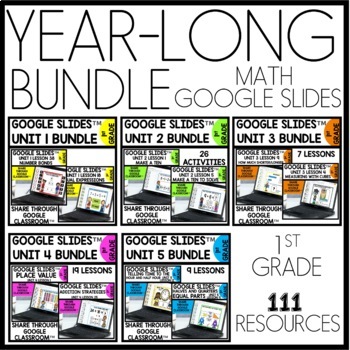
This Mega Bundle Digital Task Cards for Google Classroom set focuses on everything you need to teach in first grade. These are NO PREP Google Slides™ digital task cards. There are draggable options as well as typing in the answers onto the Google Slides. These are NOT self-checking.
Digital Download
-

This Telling Time to the Hour Digital Task Cards for Google Classroom set is a great way for students to practice this skill. This set will help with 1st Grade Module 5 Lesson 10. These no prep math centers can be used as no prep math games review and are paperless and easy to share with students through google classroom.
How it works:
- After you purchase, you will get a link to the slides
- You will need to be logged in to your Google Drive account to save
- Go to file, and click save to drive (If you don’t do this, you will have a read only file)
- Once it’s in your google drive, you can share with your students through Google Classroom
Digital Download
-

This Telling Time to the Hour and Half Hour Digital Task Cards for Google Classroom set will give your students tons of practice with time to the hour and half hour. This set will help with 1st Grade Module 5 Lesson 12. These no prep math centers can be used as no prep math games review and are paperless and easy to share with students through google classroom.
How it works:
- After you purchase, you will get a link to the slides
- You will need to be logged in to your Google Drive account to save
- Go to file, and click save to drive (If you don’t do this, you will have a read only file)
- Once it’s in your google drive, you can share with your students through Google Classroom
Digital Download
-

This Telling Time to the Half Hour Digital Task Cards for Google Classroom set will give your students some extra practice with telling time to the half hour. This set will help with 1st Grade Module 5 Lesson 11. These no prep math centers can be used as no prep math games review and are paperless and easy to share with students through google classroom.
How it works:
- After you purchase, you will get a link to the slides
- You will need to be logged in to your Google Drive account to save
- Go to file, and click save to drive (If you don’t do this, you will have a read only file)
- Once it’s in your google drive, you can share with your students through Google Classroom
Digital Download
-

This Subtraction Facts up to 10 Digital Task Cards for Google Classroom set will give your students tons of practice with this skill. Students will drag the check mark over the correct answer. These no prep math centers can be used as no prep math games review and are paperless and easy to share with students through google classroom.
How it works:
- After you purchase, you will get a link to the slides
- You will need to be logged in to your Google Drive account to save
- Go to file, and click save to drive (If you don’t do this, you will have a read only file)
- Once it’s in your google drive, you can share with your students through Google Classroom
Digital Download
-

This Skip Counting Digital Task Cards for Google Classroom set will give your students tons of practice with counting by 2s, 5s, and 10s. Students will drag the transparent circle over the correct answer. These no prep math centers can be used as no prep math games review and are paperless and easy to share with students through google classroom.
How it works:
- After you purchase, you will get a link to the slides
- You will need to be logged in to your Google Drive account to save
- Go to file, and click save to drive (If you don’t do this, you will have a read only file)
- Once it’s in your google drive, you can share with your students through Google Classroom
Digital Download
-

This Shapes and Telling Time Digital Task Cards for Google Classroom set deals with Shapes, Telling time to the hour and half hour, and Equal Parts. These are NO PREP Google Slides™ digital task cards that cover most of the lessons in unit 5. There are draggable options as well as typing in the answers onto the Google Slides. These are NOT self-checking. This set will help with Kindergarten Module 5. These no prep math centers can be used as no prep math games review and are paperless and easy to share with students through google classroom.
How it works:
- After you purchase, you will get a link to the slides
- You will need to be logged in to your Google Drive account to save
- Go to file, and click save to drive (If you don’t do this, you will have a read only file)
- Once it’s in your google drive, you can share with your students through Google Classroom
Digital Download
-

This Place Value Up to 99 Digital Task Cards for Google Classroom set will give your students tons of practice with this skill. Students will either count the tens and ones and decide what number it represents, or they will look at a number and decide how many tens and ones are in that number. These no prep math centers can be used as no prep math games review and are paperless and easy to share with students through google classroom.
How it works:
- After you purchase, you will get a link to the slides
- You will need to be logged in to your Google Drive account to save
- Go to file, and click save to drive (If you don’t do this, you will have a read only file)
- Once it’s in your google drive, you can share with your students through Google Classroom
Digital Download
-

This Patterns Digital Task Cards for Google Classroom set will give your students tons of practice with this skill. Students will look at the pattern and then need to decide which comes next (these are simple patterns). These no prep math centers can be used as no prep math games review and are paperless and easy to share with students through google classroom.
How it works:
- After you purchase, you will get a link to the slides
- You will need to be logged in to your Google Drive account to save
- Go to file, and click save to drive (If you don’t do this, you will have a read only file)
- Once it’s in your google drive, you can share with your students through Google Classroom
Digital Download
Showing 1–12 of 3516 resultsSorted by latest
-

Addition Task Cards up to 10
PURCHASE ON TPT -

Subtraction Task Cards within 10
PURCHASE ON TPT -

Number Posters Polka Dot Themed Classroom Decor
PURCHASE ON TPT -

Student Office Polka Dot Themed Classroom Decor
PURCHASE ON TPT -
Letter formation and Letter Sound Recognition Printable Worksheets to Pinterest (opens in a new window)

Letter formation and Letter Sound Recognition Printable Worksheets
PURCHASE ON TPT -

Number Bonds Flash Cards
PURCHASE ON TPT -

Fact Fluency Math Games Addition to 10
PURCHASE ON TPT -
High Frequency Sight Words Literacy Center Station Say It to Win It Games™ Set 1 to Pinterest (opens in a new window)

High Frequency Sight Words Literacy Center Station Say It to Win It Games™ Set 1
PURCHASE ON TPT -
Short Vowel U Literacy CVC Word Work Phonics 1st Grade Say It to Win It Games™ to Pinterest (opens in a new window)

Short Vowel U Literacy CVC Word Work Phonics 1st Grade Say It to Win It Games™
PURCHASE ON TPT -
High Frequency Sight Words Literacy Center Station Say It to Win It Games™ Set 2 to Pinterest (opens in a new window)

High Frequency Sight Words Literacy Center Station Say It to Win It Games™ Set 2
PURCHASE ON TPT -
High Frequency Sight Words Literacy Center Station Say It to Win It Games™ Set 4 to Pinterest (opens in a new window)
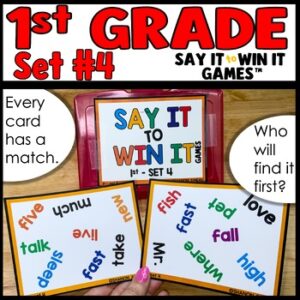
High Frequency Sight Words Literacy Center Station Say It to Win It Games™ Set 4
PURCHASE ON TPT -
High Frequency Sight Words Literacy Center Station Say It to Win It Games™ Set 3 to Pinterest (opens in a new window)

High Frequency Sight Words Literacy Center Station Say It to Win It Games™ Set 3
PURCHASE ON TPT


