Find it Fast:
PRODUCTS FILTER
Featured Products


Showing 2801–2850 of 3271 resultsSorted by latest
-

This Temperature Center Game is a fun and engaging way for kiddos to practice this skill. Students can play in groups of four. They all start at the same place, pick a task card, if they get the task card answer correct, they spin and move. This comes with task cards, game board, spinner, and answer key. With these task cards, students will look at a thermometer and read the temp, or at a picture and pick the temperature that would represent the picture.
Digital Download
-

This Symmetry Center Game is a fun and engaging way for kiddos to practice this skill. Students can play in groups of four. They all start at the same place, pick a task card, if they get the task card answer correct, they spin and move. This comes with task cards, game board, spinner, and answer key. With these task cards, students will look at at the picture, and decide if it shows symmetry or pick which one shows symmetry.
Digital Download
-

This Months of the Year Center Game is a fun and engaging way for kiddos to practice this skill. Students can play in groups of four. They all start at the same place, pick a task card, if they get the task card answer correct, they spin and move. This comes with task cards, game board, spinner, and answer key. These task cards cover months of the year – students will read a sentence (example: Today is July 31st. What is the date tomorrow?) and they will have to pick the correct answer.
Digital Download
-

This Temperature Interactive Powerpoint is a fun and engaging way for kiddos to practice skills. The powerpoint is self-checking and interactive. If students press on the correct answer button, it brings them to a picture saying “Great job”. If they click on the wrong answer(s), it brings them to another slide that says, “Try Again.” When they tap on the slide, it will bring them back to the slide they missed. Once they get it correct, they are brought to a new slide to “Show what they know!” If they click outside of the answer boxes, nothing happens (They have to click on the actual box to find out if their answer is correct.) When they complete the ppt, they will see a CONGRATS, you’ve mastered this skill!
Digital Download
-

This Symmetry Interactive Powerpoint is a fun and engaging way for kiddos to practice skills. The powerpoint is self-checking and interactive. If students press on the correct answer button, it brings them to a picture saying “Great job”. If they click on the wrong answer(s), it brings them to another slide that says, “Try Again.” When they tap on the slide, it will bring them back to the slide they missed. Once they get it correct, they are brought to a new slide to “Show what they know!” If they click outside of the answer boxes, nothing happens (They have to click on the actual box to find out if their answer is correct.) When they complete the ppt, they will see a CONGRATS, you’ve mastered this skill!
Digital Download
-

This Months of the Year Interactive Powerpoint is a fun and engaging way for kiddos to practice skills. The powerpoint is self-checking and interactive. If students press on the correct answer button, it brings them to a picture saying “Great job”. If they click on the wrong answer(s), it brings them to another slide that says, “Try Again.” When they tap on the slide, it will bring them back to the slide they missed. Once they get it correct, they are brought to a new slide to “Show what they know!” If they click outside of the answer boxes, nothing happens (They have to click on the actual box to find out if their answer is correct.) When they complete the ppt, they will see a CONGRATS, you’ve mastered this skill!
Digital Download
-

This Measurement Center Game is a fun and engaging way for kiddos to practice this skill. Students can play in groups of four. They all start at the same place, pick a task card, if they get the task card answer correct, they spin and move. This comes with task cards, game board, spinner, and answer key. Students will look at different objects and say how many inches they measure, using measuring cups to say how much liquid is in the cup, and look at different measuring scoops.
Digital Download
-

This Measurement Interactive Powerpoint is a fun and engaging way for kiddos to practice skills. The powerpoint is self-checking and interactive. If students press on the correct answer button, it brings them to a picture saying “Great job”. If they click on the wrong answer(s), it brings them to another slide that says, “Try Again.” When they tap on the slide, it will bring them back to the slide they missed. Once they get it correct, they are brought to a new slide to “Show what they know!” If they click outside of the answer boxes, nothing happens (They have to click on the actual box to find out if their answer is correct.) When they complete the ppt, they will see a CONGRATS, you’ve mastered this skill!
Digital Download
-

This Days of the Week Center Game is a fun and engaging way for kiddos to practice this skill. Students can play in groups of four. They all start at the same place, pick a task card, if they get the task card answer correct, they spin and move. This comes with task cards, game board, spinner, and answer key. Students will look at a calendar, and then answer questions that go with that calendar. (Example: Two days after Thursday is… Or what day did my friend share her umbrella with me? They have to look at the picture on the calendar and then find the date and day that matches.
Digital Download
-

Are you looking for Earth Day Color-by-Number Printables that focus on missing addends? These math worksheets are a great way for students to practice the skill while enjoying the relaxation of coloring. Color-by-number worksheets are great for early finishers, math centers, enrichment, and remediation.
Digital Download
-

This Telling Time Center Game is a fun and engaging way for kiddos to practice this skill. Students can play in groups of four. They all start at the same place, pick a task card, if they get the task card answer correct, they spin and move. This comes with task cards, game board, spinner, and answer key. With these task cards, students will look at the clock, and then pick the correct answer that shows the time. These are to the hour and half hour.
Digital Download
-

This Geometric Figures Center Game is a fun and engaging way for kiddos to practice this skill. Students can play in groups of four. They all start at the same place, pick a task card, if they get the task card answer correct, they spin and move. This comes with task cards, game board, spinner, and answer key. These task cards cover naming the shape (circle, square, trapezoid, hexagon, octagon, rhombus, rectangle), 2d and 3d shapes, solving a riddle: (example: I am a closed shape, I don’t have any straight sides or corners. What am I?)
Digital Download
-

This Days of the Week Interactive Powerpoint is a fun and engaging way for kiddos to practice skills. The powerpoint is self-checking and interactive. If students press on the correct answer button, it brings them to a picture saying “Great job”. If they click on the wrong answer(s), it brings them to another slide that says, “Try Again.” When they tap on the slide, it will bring them back to the slide they missed. Once they get it correct, they are brought to a new slide to “Show what they know!” If they click outside of the answer boxes, nothing happens (They have to click on the actual box to find out if their answer is correct.) When they complete the ppt, they will see a CONGRATS, you’ve mastered this skill!
Digital Download
-

This Counting Coins Center Game is a fun and engaging way for kiddos to practice this skill. Students can play in groups of four. They all start at the same place, pick a task card, if they get the task card answer correct, they spin and move. This comes with task cards, game board, spinner, and answer key.
Digital Download
-

Are you looking for summer themed Color-by-Number Printables that focus on missing addends? These math worksheets are a great way for students to practice the skill while enjoying the relaxation of coloring. Color by number worksheets are great for early finishers, math centers, remediation, and enrichment.
Digital Download
-

Are you looking for Color by Number Printables that focus on missing addends and are centered around a birthday theme? These math worksheets are a great way for students to practice the skill while enjoying the relaxation of coloring. These are great for early finishers, math centers, and or math block.
Digital Download
-

This Telling Time Interactive Powerpoint is a fun and engaging way for kiddos to practice skills. The powerpoint is self-checking and interactive. If students press on the correct answer button, it brings them to a picture saying “Great job”. If they click on the wrong answer(s), it brings them to another slide that says, “Try Again.” When they tap on the slide, it will bring them back to the slide they missed. Once they get it correct, they are brought to a new slide to “Show what they know!” If they click outside of the answer boxes, nothing happens (They have to click on the actual box to find out if their answer is correct.) When they complete the ppt, they will see a CONGRATS, you’ve mastered this skill!
Digital Download
-

This Geometric Figures Interactive Powerpoint is a fun and engaging way for kiddos to practice skills. The powerpoint is self-checking and interactive. If students press on the correct answer button, it brings them to a picture saying “Great job”. If they click on the wrong answer(s), it brings them to another slide that says, “Try Again.” When they tap on the slide, it will bring them back to the slide they missed. Once they get it correct, they are brought to a new slide to “Show what they know!” If they click outside of the answer boxes, nothing happens (They have to click on the actual box to find out if their answer is correct.) When they complete the ppt, they will see a CONGRATS, you’ve mastered this skill!
Digital Download
-

This Counting Coins Interactive Powerpoint is a fun and engaging way for kiddos to practice skills. The powerpoint is self-checking and interactive. If students press on the correct answer button, it brings them to a picture saying “Great job”. If they click on the wrong answer(s), it brings them to another slide that says, “Try Again.” When they tap on the slide, it will bring them back to the slide they missed. Once they get it correct, they are brought to a new slide to “Show what they know!” If they click outside of the answer boxes, nothing happens (They have to click on the actual box to find out if their answer is correct.) When they complete the ppt, they will see a CONGRATS, you’ve mastered this skill!
Digital Download
-

This Commutative Property Center Game is a fun and engaging way for kiddos to practice this skill. Students can play in groups of four. They all start at the same place, pick a task card, if they get the task card answer correct, they spin and move. This comes with task cards, game board, spinner, and answer key.
Digital Download
-

This Greater Than Less Than Center Game is a fun and engaging way for kiddos to practice this skill. Students can play in groups of four. They all start at the same place, pick a task card, if they get the task card answer correct, they spin and move. This comes with task cards, game board, spinner, and answer key. With these task cards, students will look at two numbers and decide if the first is less than, greater than, or equal to the second number, or look at a phrase and decide if it is true or false.
Digital Download
-

This Commutative Property of Addition Interactive Powerpoint is a fun and engaging way for kiddos to practice skills. The powerpoint is self-checking and interactive. If students press on the correct answer button, it brings them to a picture saying “Great job”. If they click on the wrong answer(s), it brings them to another slide that says, “Try Again.” When they tap on the slide, it will bring them back to the slide they missed. Once they get it correct, they are brought to a new slide to “Show what they know!” If they click outside of the answer boxes, nothing happens (They have to click on the actual box to find out if their answer is correct.) When they complete the ppt, they will see a CONGRATS, you’ve mastered this skill!
Digital Download
-

This Subtraction Facts to 10 Center Game is a fun and engaging way for kiddos to practice this skill. Students can play in groups of four. They all start at the same place, pick a task card, if they get the task card answer correct, they spin and move. This comes with task cards, game board, spinner, and answer key.
Digital Download
-

This Mystery Pictures Place Value Worksheets are a no prep resource that is super fun! You can do whole group or independently. Students will count the hundreds, tens, and ones for each slide, and then color the appropriate square. If you do it whole group, it is timed. If you do it as an independent activity, students can go through the slides at their own pace.
Digital Download
-

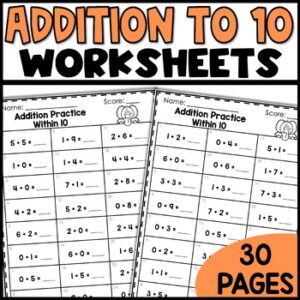
This Addition to 10 Center Game is a fun and engaging way for kiddos to practice this skill. Students can play in groups of four. They all start at the same place, pick a task card, if they get the task card answer correct, they spin and move. This comes with task cards, game board, spinner, and answer key.
Digital Download
-

This Subtraction Facts to 10 Interactive Powerpoint is a fun and engaging way for kiddos to practice skills. The powerpoint is self-checking and interactive. If students press on the correct answer button, it brings them to a picture saying “Great job”. If they click on the wrong answer(s), it brings them to another slide that says, “Try Again.” When they tap on the slide, it will bring them back to the slide they missed. Once they get it correct, they are brought to a new slide to “Show what they know!” If they click outside of the answer boxes, nothing happens (They have to click on the actual box to find out if their answer is correct.) When they complete the ppt, they will see a CONGRATS, you’ve mastered this skill!
Digital Download
-

This Greater Than Less Than Interactive Powerpoint is a fun and engaging way for kiddos to practice skills. The powerpoint is self-checking and interactive. If students press on the correct answer button, it brings them to a picture saying “Great job”. If they click on the wrong answer(s), it brings them to another slide that says, “Try Again.” When they tap on the slide, it will bring them back to the slide they missed. Once they get it correct, they are brought to a new slide to “Show what they know!” If they click outside of the answer boxes, nothing happens (They have to click on the actual box to find out if their answer is correct.) When they complete the ppt, they will see a CONGRATS, you’ve mastered this skill!
Digital Download
-

This Addition Facts to 10 Interactive Powerpoint is a fun and engaging way for kiddos to practice skills. The powerpoint is self-checking and interactive. If students press on the correct answer button, it brings them to a picture saying “Great job”. If they click on the wrong answer(s), it brings them to another slide that says, “Try Again.” When they tap on the slide, it will bring them back to the slide they missed. Once they get it correct, they are brought to a new slide to “Show what they know!” If they click outside of the answer boxes, nothing happens (They have to click on the actual box to find out if their answer is correct.) When they complete the ppt, they will see a CONGRATS, you’ve mastered this skill!
Digital Download
-

This Ten More Ten Less Center Game is a fun and engaging way for kiddos to practice this skill. Students can play in groups of four. They all start at the same place, pick a task card, if they get the task card answer correct, they spin and move. This comes with task cards, game board, spinner, and answer key. With these task cards, students will look at a number and find either the number that is ten more or ten less.
Digital Download
-

This One More One Less Center Game is a fun and engaging way for kiddos to practice this skill. Students can play in groups of four. They all start at the same place, pick a task card, if they get the task card answer correct, they spin and move. This comes with task cards, game board, spinner, and answer key. With these task cards, students will look at the number give, and then look at the question (which is 1 less, which is 1 more) and they will have to pick the correct answer. These go up to the number 120.
Digital Download
-

This Ten More Ten Less Interactive Powerpoint is a fun and engaging way for kiddos to practice skills. The powerpoint is self-checking and interactive. If students press on the correct answer button, it brings them to a picture saying “Great job”. If they click on the wrong answer(s), it brings them to another slide that says, “Try Again.” When they tap on the slide, it will bring them back to the slide they missed. Once they get it correct, they are brought to a new slide to “Show what they know!” If they click outside of the answer boxes, nothing happens (They have to click on the actual box to find out if their answer is correct.) When they complete the ppt, they will see a CONGRATS, you’ve mastered this skill!
Digital Download
-

This One More One Less Interactive Powerpoint is a fun and engaging way for kiddos to practice skills. The powerpoint is self-checking and interactive. If students press on the correct answer button, it brings them to a picture saying “Great job”. If they click on the wrong answer(s), it brings them to another slide that says, “Try Again.” When they tap on the slide, it will bring them back to the slide they missed. Once they get it correct, they are brought to a new slide to “Show what they know!” If they click outside of the answer boxes, nothing happens (They have to click on the actual box to find out if their answer is correct.) When they complete the ppt, they will see a CONGRATS, you’ve mastered this skill!
Digital Download
-

This End of Year Writing Activity Flipbook gives students a cute way to reminisce about their school year. Not only do the kiddos enjoy it, but it looks GREAT on a bulletin board!! This flipbook is perfect for the last few weeks of school, when you’re trying to close out the year – students will be engaged and excited to work on this writing craft.
COMES WITH:
- 16 different kid toppers for your students to pick from
- describing the teacher page
- 3 favorite things that we did page
- funny stories to write about page
- 1 page with other info (favorite color, favorite book, favorite game, favorite food – this year was_______ because…
- I have covers for kindergarten, first, and second graders.
Digital Download
-

This End of the Year Writing Activity is so much fun! Are the students nervous about moving to the next grade? Here’s a cute way for students to tell incoming students what to expect in their new class. We did letters to the new students for several years, and it was truly a huge hit. Not only did my new students LOVE the stories, it gave me a bulletin board for the beginning of the school year. The parents of my new students actually loved it as well. It was a nice way for kids to tell other kids it’s going to be OK!
COMES WITH:
- 18 different kid toppers for your students to pick from
- A cover for kindergarten, first grade, or second grade
- 1 page for students to write about things that happen during the day
- tell about their new teacher page
- telling them what not to worry about page
- 1 page with 3 different tips for success
Digital Download
-

This Place Value Center Game is a fun and engaging way for kiddos to practice this skill. Students can play in groups of four. They all start at the same place, pick a task card, if they get the task card answer correct, they spin and move. This comes with task cards, game board, spinner, and answer key. With these task cards, students will look at a number, and then decide how many tens and ones there are, or count the tens and ones, and write it another way.
Digital Download
-

This Place Value Interactive Powerpoint is a fun and engaging way for kiddos to practice skills. The powerpoint is self-checking and interactive. If students press on the correct answer button, it brings them to a picture saying “Great job”. If they click on the wrong answer(s), it brings them to another slide that says, “Try Again.” When they tap on the slide, it will bring them back to the slide they missed. Once they get it correct, they are brought to a new slide to “Show what they know!” If they click outside of the answer boxes, nothing happens (They have to click on the actual box to find out if their answer is correct.) When they complete the ppt, they will see a CONGRATS, you’ve mastered this skill!
Digital Download
-

This Skip Counting Center Game is a fun and engaging way for kiddos to practice this skill. Students can play in groups of four. They all start at the same place, pick a task card, if they get the task card answer correct, they spin and move. This comes with task cards, game board, spinner, and answer key. With these task cards, students will either count by tens, fives or twos to find the answers.
Digital Download
-

This Skip Counting Interactive Powerpoint is a fun and engaging way for kiddos to practice skills. The powerpoint is self-checking and interactive. If students press on the correct answer button, it brings them to a picture saying “Great job”. If they click on the wrong answer(s), it brings them to another slide that says, “Try Again.” When they tap on the slide, it will bring them back to the slide they missed. Once they get it correct, they are brought to a new slide to “Show what they know!” If they click outside of the answer boxes, nothing happens (They have to click on the actual box to find out if their answer is correct.) When they complete the ppt, they will see a CONGRATS, you’ve mastered this skill!
Digital Download
-

This Sequencing Center Game is a fun and engaging way for kiddos to practice this skill. Students can play in groups of four. They all start at the same place, pick a task card, if they get the task card answer correct, they spin and move. This comes with task cards, game board, spinner, and answer key. With these task cards, students will look at a group of numbers, and then decide which number/numbers are missing.
Digital Download
-

This Interactive Powerpoints SAMPLE is a fun and engaging way for kiddos to practice skills. The powerpoint is self-checking and interactive. If students press on the correct answer button, it brings them to a picture saying “Great job”. If they click on the wrong answer(s), it brings them to another slide that says, “Try Again.” When they tap on the slide, it will bring them back to the slide they missed. Once they get it correct, they are brought to a new slide to “Show what they know!” If they click outside of the answer boxes, nothing happens (They have to click on the actual box to find out if their answer is correct.) When they complete the ppt, they will see a CONGRATS, you’ve mastered this skill!
Digital Download
-

This Patterns Center Game is a fun and engaging way for kiddos to practice this skill. Students can play in groups of four. They all start at the same place, pick a task card, if they get the task card answer correct, they spin and move. This comes with task cards, game board, spinner, and answer key. With these task cards, students will look at the picture, and then decide which object will come next or which will complete the series.
Digital Download
-

This Patterns Interactive Powerpoint is a fun and engaging way for kiddos to practice skills. The powerpoint is self-checking and interactive. If students press on the correct answer button, it brings them to a picture saying “Great job”. If they click on the wrong answer(s), it brings them to another slide that says, “Try Again.” When they tap on the slide, it will bring them back to the slide they missed. Once they get it correct, they are brought to a new slide to “Show what they know!” If they click outside of the answer boxes, nothing happens (They have to click on the actual box to find out if their answer is correct.) When they complete the ppt, they will see a CONGRATS, you’ve mastered this skill!
Digital Download
-

This Ordinal Numbers Center Game is a fun and engaging way for kiddos to practice this skill. Students can play in groups of four. They all start at the same place, pick a task card, if they get the task card answer correct, they spin and move. This comes with task cards, game board, spinner, and answer key. With these task cards, students have to decide which item is in a certain place up to the 10th place.
Digital Download
-

This Odd or Even Center Game is a fun and engaging way for kiddos to practice this skill. Students can play in groups of four. They all start at the same place, pick a task card, if they get the task card answer correct, they spin and move. This comes with task cards, game board, spinner, and answer key. With these task cards, students will either look at the picture and decide if the amount is odd or even, or they will be given three numbers, and have to decide which is even/odd.
Digital Download
-

This Sequencing Numbers Interactive Powerpoint is a fun and engaging way for kiddos to practice skills. The powerpoint is self-checking and interactive. If students press on the correct answer button, it brings them to a picture saying “Great job”. If they click on the wrong answer(s), it brings them to another slide that says, “Try Again.” When they tap on the slide, it will bring them back to the slide they missed. Once they get it correct, they are brought to a new slide to “Show what they know!” If they click outside of the answer boxes, nothing happens (They have to click on the actual box to find out if their answer is correct.) When they complete the ppt, they will see a CONGRATS, you’ve mastered this skill!
Digital Download
-

This President Writing Activity is a fun way for your students to write about our US Presidents. Each president has a ten-page booklet for students to fill out with facts, background information, and how that president changed our world. This is a great activity to go along with research students do on the different US Presidents.
Digital Download
-

This Ordinal Numbers Interactive PPT is a fun and engaging way for kiddos to practice skills. The powerpoint is self-checking and interactive. If students press on the correct answer button, it brings them to a picture saying “Great job”. If they click on the wrong answer(s), it brings them to another slide that says, “Try Again.” When they tap on the slide, it will bring them back to the slide they missed. Once they get it correct, they are brought to a new slide to “Show what they know!” If they click outside of the answer boxes, nothing happens (They have to click on the actual box to find out if their answer is correct.) When they complete the ppt, they will see a CONGRATS, you’ve mastered this skill!
Digital Download
-

This Odd or Even Numbers Interactive Powerpoint is a fun and engaging way for kiddos to practice skills. The powerpoint is self-checking and interactive. If students press on the correct answer button, it brings them to a picture saying “Great job”. If they click on the wrong answer(s), it brings them to another slide that says, “Try Again.” When they tap on the slide, it will bring them back to the slide they missed. Once they get it correct, they are brought to a new slide to “Show what they know!” If they click outside of the answer boxes, nothing happens (They have to click on the actual box to find out if their answer is correct.) When they complete the ppt, they will see a CONGRATS, you’ve mastered this skill!
Digital Download
-

This Digraphs Early Finishers Activities set is a great tool to use after teaching this concept. There are four pictures on each slide and one word that has the letters popping up every few seconds until all of the letters are revealed. The object of the “game” is to figure out what picture matches the word. Once the concept is taught, students grab their work mat or white board, sit on the rug (or at their desk) and begin working on the related powerpoint/google slide. No fuss, mess, or chaos! ❤️ Just press play and keep them engaged while you help the students who need more individualized attention.
Words covered:
- wheel, third, thorn, where, whack, whip, which, throne, thin, who, think, white, thief, thick, whisk, trash, shed, shack, shut, crush, shirt, gopher, phone, shop, fish, chill, sphere, bath, wish, photo, chick, father, brush, crash, math, chips, check, cheese, chop, chat, chin, path, mother, chili, champ, shell, inch, lunch, ship, graph, chalk, ranch, whale, wheat
Digital Download
-

This Beginning Trigraphs Early Finishers Activities set is a great tool to use after teaching this concept. There are four pictures on each slide and one word that has the letters popping up every few seconds until all of the letters are revealed. The object of the “game” is to figure out what picture matches the word. Once the concept is taught, students grab their work mat or white board, sit on the rug (or at their desk) and begin working on the related powerpoint/google slide. No fuss, mess, or chaos! ❤️ Just press play and keep them engaged while you help the students who need more individualized attention.
Words covered:
three, throat, throne, throb, thread, threat, thrash, strum, sprout, squeal, squeak, sprint, squash, spray, splash, splat, spread, squat, scrub, stray, split, splint, straw, scroll, sprain, stream, strike, sprawl, screen, shrill, shrimp, screw, shriek, scream, strong, string, scraps, shred, squad, shrine, shrink, square, scrape, shrug, shrub, throw, thrust
Digital Download
Showing 3241–3252 of 3271 resultsSorted by latest
-
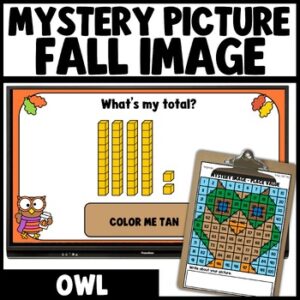
Fall Place Value to 100 Mystery Picture Math Worksheets
PURCHASE ON TPT -
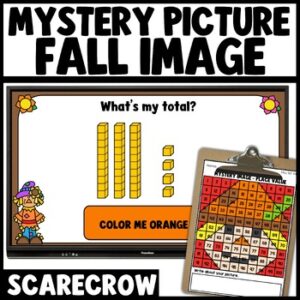
Fall Place Value to 100 Mystery Picture Math Worksheets
PURCHASE ON TPT -
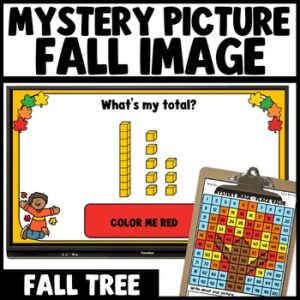
Fall Place Value to 100 Mystery Picture Math Worksheets
PURCHASE ON TPT -
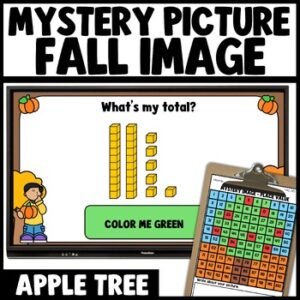
Fall Place Value to 100 Mystery Picture Math Worksheets
PURCHASE ON TPT -
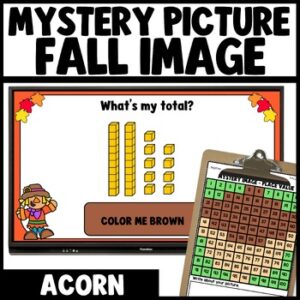
Fall Place Value Mystery Picture Math Worksheets, To 100
PURCHASE ON TPT -
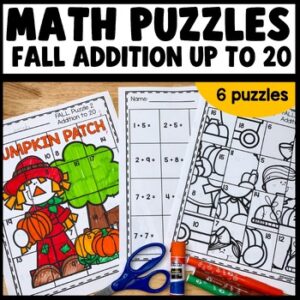
Addition to 20 Worksheets, Cut and Paste Math Puzzles
PURCHASE ON TPT -
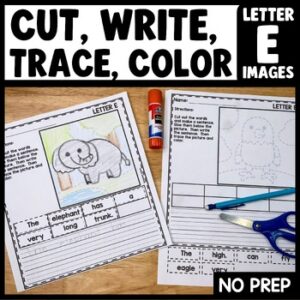
Letter E Cut and Paste Sentences with Tracing, Pictures
PURCHASE ON TPT -
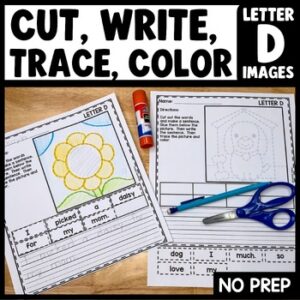
Letter D Cut and Paste Sentences, Tracing Worksheet
PURCHASE ON TPT -
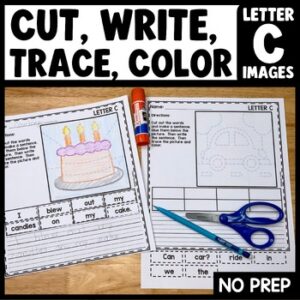
Letter C Cut and Paste Sentences, Tracing Worksheet
PURCHASE ON TPT -
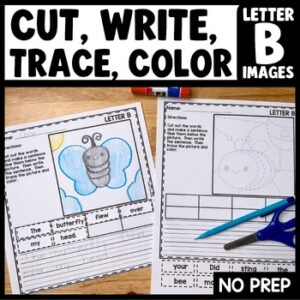
Letter B Cut and Paste Sentences, Tracing, Pictures
PURCHASE ON TPT -
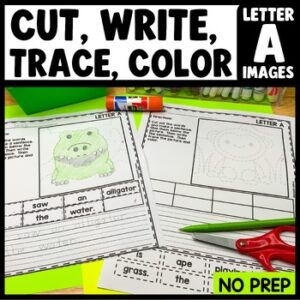
Letter A Cut and Paste Sentences, Tracing Worksheet
PURCHASE ON TPT -
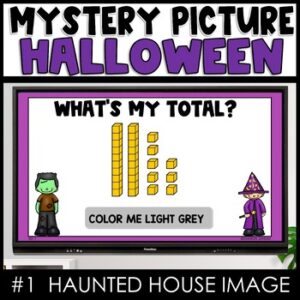
Halloween Mystery Picture Haunted House
PURCHASE ON TPT


