
Skip Counting by Tens
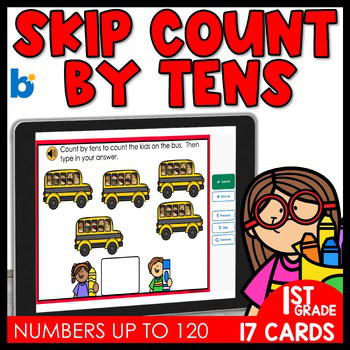
Let's master skip counting by tens up to 120. Students will either be shown a starting number, and then they will need to count by tens for six more numbers, or they will be shown a bus of ten students and will need to count them by tens to figure out how many students in all. These cards go up to 120. Great for skip counting practice and assessment!
These are perfect for math centers! Each card offers instant feedback, making learning fun and self-paced. These cards reinforce skip counting by 10s and are aligned with TEKS standards, but can be used by anyone wanting to give their students practice with skip counting by fives. Grab this no-prep resource to boost math confidence today!
▶︎STANDARDS COVERED:
- TEKS: MA.1.5.B Algebraic reasoning. The student applies mathematical process standards to identify and apply number patterns within properties of numbers and operations in order to describe relationships. The student is expected to: skip count by twos, fives, and tens to determine the total number of objects up to 120 in a set
- THIS SET ONLY FOCUSES ON COUNTING BY TENS
What are Boom Cards?
Boom Cards are digital task cards that are housed on a platform called wow.boomlearning.com. These are different from Google Slides because they are self-checking. You can pay to have an account (under $30 a YEAR) or you can get a free account and use the fast-pin to share the decks with your students. You can share through Google Classroom or any other way you typically share a link with your students. The fast-pin is great, but if you want to track data - the paid version might be for you. I would suggest you try a few decks first, then once you see how amazing they are - $30 a year seems pretty doable. We even had our administration pay for our accounts.
READ MORE AND GRAB A FREEBIE HERE
What is needed to use Boom Cards:
To use Boom Cards, you must be connected to the Internet. Boom Cards play on modern browsers (Chrome, Safari, Firefox, and Edge). Apps are available for Android, iPads, iPhones, and Kindle Fires. For security and privacy, adults must have a Boom Learning account to use and assign Boom Cards. You will be able to assign the Boom Cards you are buying with "Fast Pins," (play provides instant feedback for self-grading Boom Cards). Fast Play is always a free way for students to engage with Boom Cards decks. For additional assignment options you'll need a premium account. If you are new to Boom Learning, you will be offered a free trial of our premium account. Read here for details: http://bit.ly/BoomTrial.
You may be eligible for a free trial from Boom Learning. Read here for details: http://bit.ly/BoomTrial. If you choose not to stay on a premium account after your free trial, you will still be able to assign all your Boom Cards to as many students as you see fit using Fast Play pins (which give instant feedback for decks that are self-grading).
THINGS TO KNOW:
- You will first need to create an account on the Boom platform
- There’s a free version and a paid version
- After you purchase, you will download a PDF. Then scroll to the second page to get the link that will bring you to the Boom platform
- Once you are on the Boom Platform, go to the library tab. Click on it, then you will see the deck you purchased.
- You just might become addicted to the self-checking, interactive, engaging features of Boom that will make your life so much easier!
- I have a free course if you want to learn EVERYTHING about Boom!
- Want some more FREEBIES? Sign up for my newsletter HERE!
purchasing on my website:
- First you will need to create an account
- Then search for the item(s) you're looking for.
- My categories are specific, so that is the easiest way to search. Tip: if you use the categories function, once you find what you're looking for and you want to see all of the categories again, refresh the page.
- Once you find what you are looking for, click on the add to cart.
- Then once you're finished, click on the cart icon in the top right hand corner.
- This will bring you to your cart.
- From here, you can check out.
- Finally, enjoy the resource(s).
QUESTIONS OR CONCERNS:
Email me at scjuneau@yahoo.com if you have any questions or concerns about this product. Thank you for visiting my store! I sure appreciate you!
Shanon Juneau ❤️
FOLLOW ME ON FACEBOOK | FOLLOW ME ON INSTAGRAM | FOLLOW ME ON YOUTUBE
No FAQ Found